ZATCA Phase 2 Ready

Compliant invoicing, without
disrupting how you work

Create structured, bilingual invoices with VAT applied per line item and a QR code on every PDF. Built for Saudi businesses that need clean, compliant invoicing without complexity.
100% audit-ready ZATCA Phase 2 certified Bilingual Arabic & English
MAAB · E-Invoicing
MAAB invoicing preview
QR code on every invoice Bilingual invoices VAT per line item Credit & Debit Notes
Built for revenue operations

Built to support confident, compliant revenue operations

MAAB brings technical compliance, workflow flexibility, and legal security together so your finance team can operate with complete confidence.

Structured invoice creation

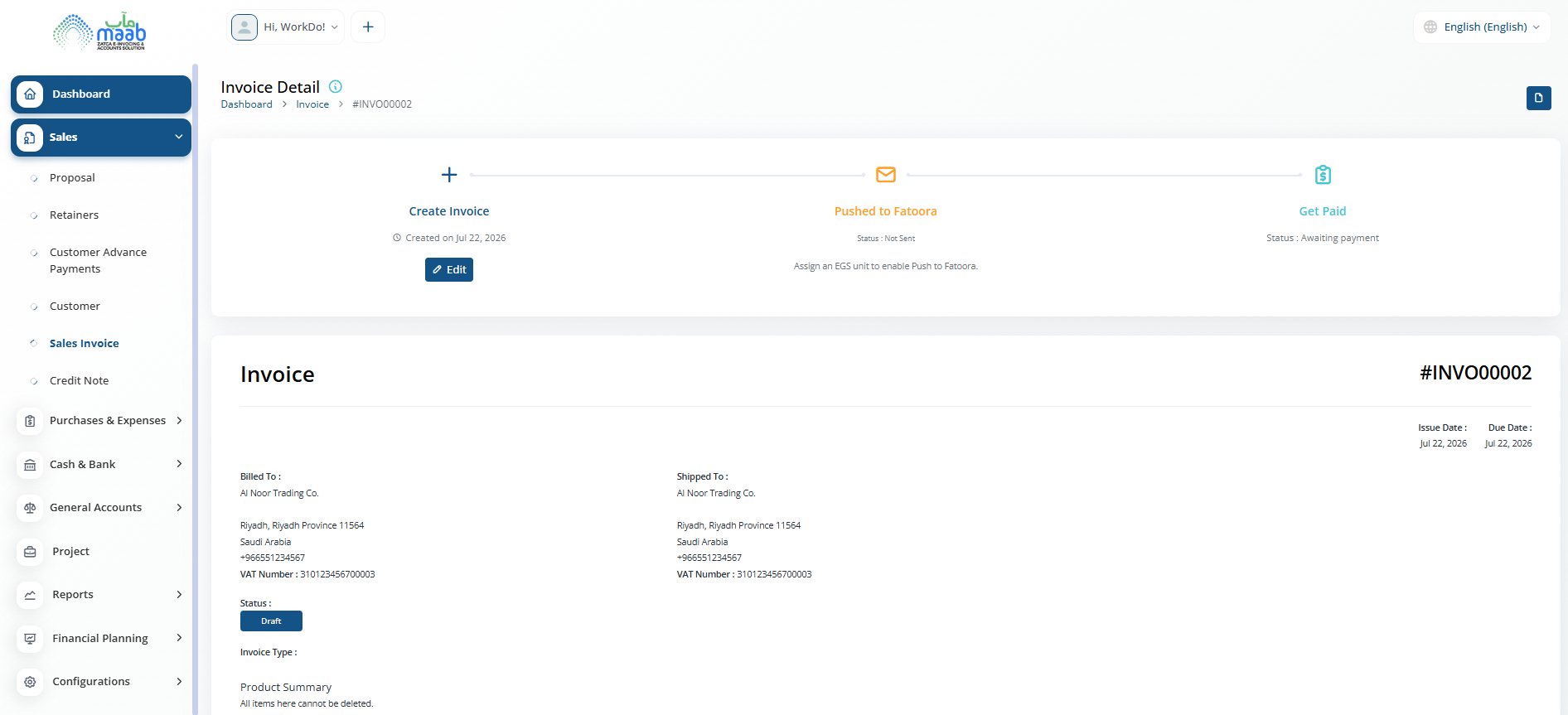
Build detailed invoices linked to customers, projects, and categories. Each invoice supports multiple line items with individual pricing, discounts, and tax — and every issued invoice produces a ZATCA-compliant PDF with embedded QR code.

  • Line items with quantity, price, discount and tax
  • VAT applied per line item at configured rate
  • PDF with QR code generated on every invoice
Invoice #INVO00002 Sent
CustomerAl Noor Trading Co.
VAT (15%)3,825
QR Code✓ Generated
Total29,325

Corrections & audit trail

Issued invoices are locked once sent. Raise a Credit Note against a sales invoice or a Debit Note against a vendor bill to record corrections. Each is linked to the source document for a clean audit trail.

  • Credit Notes linked to original sales invoice
  • Debit Notes linked to original vendor bill
  • Invoice statuses: Draft, Sent, Paid
Credit Note #CN-0041 Issued
Linked Invoice#INVO00002
Amount7,475
ZATCA StatusTracked
Credit Amount7,475

Collect payments your way

Each invoice carries a payment button configured to your active gateways. Enable one or more payment methods from settings — customers can pay directly from the invoice without any manual follow-up.

  • Bank Transfer, Stripe, PayPal, Paytab, and more
  • Payment button embedded on every sent invoice
  • Enable or disable gateways independently per account
Payment Settings Active
Bank Transfer✓ Enabled
Stripe✓ Enabled
PayPal✓ Enabled
Paytab, Tap, Skrill & moreConfigurable
From compliance to control

Compliance built into every invoice

MAAB handles the invoice structure, VAT calculation, and document output so your team can focus on the work, not the paperwork.

  • PDF generated for every invoice with a QR code embedded for instant verification
  • Phase 2 compliant - B2B invoices cleared and B2C invoices reported to ZATCA via direct Fatoora API integration
  • Bilingual Arabic and English output on all invoice documents and PDFs

Why finance teams rely on MAAB

  • QR code embedded in every invoice PDF for instant verification
  • Bilingual Arabic and English on every invoice document
  • Approved proposals convert directly into finalized invoices
The full invoicing toolkit

Core Invoicing Features

Build detailed invoices linked to customers, projects, and categories. Each invoice supports multiple line items with individual pricing, discounts, and tax — and every issued invoice produces a ZATCA-compliant PDF with embedded QR code.

Every invoice is submitted to ZATCA via the Fatoora API on creation. B2B invoices are cleared and B2C invoices are reported in real time. No manual uploads, no compliance gaps.

Issued invoices are locked once sent. Raise a Credit Note against a sales invoice or a Debit Note against a vendor bill to record adjustments. Each is linked to the source document for a clean audit trail.

Each invoice carries a payment button configured to your active gateways. Enable Bank Transfer, Stripe, PayPal, Paytab, and more — customers can pay directly from the invoice without any manual follow-up.
Invoicing at a glance
Key numbers
0 Invoice access & visibility
0 Saudi VAT on every invoice
0 Credit & Debit Notes
0 Unified invoice workflow
FAQ

Common questions about ZATCA invoicing

Issued invoices are locked once sent. To record a correction, raise a Credit Note against the original sales invoice. For vendor bill corrections, raise a Debit Note against the original bill. Both are linked to the source document for a full audit trail.

Yes. Invoices are generated in Arabic and English. From Invoice Print Settings you can set the default language, enable RTL for Arabic-first layout, and configure logo, title, and footer text that appears on every printed invoice.

Phase 1 (Transition Phase) requires businesses to issue invoices from a compliant electronic system with a QR code on every document. Phase 2 (Integration Phase) adds direct API integration with ZATCA's Fatoora portal - B2B invoices are cleared and B2C invoices are reported in real time or near-real time. MAAB complies with both phases.

Yes. From Payment Settings you can enable or disable individual payment gateways — including Bank Transfer, Stripe, PayPal, Paytab, and others — each with its own credentials. Email and SMS notifications can be configured separately, with toggles per event type such as invoice sent, payment received, and payment reminders.
Ready to secure your next stage of growth?

Stay ahead of the next ZATCA integration wave

Built specifically for Saudi compliance, MAAB keeps your invoicing pipeline ready for whatever ZATCA requires next.